
Complaints both ways. One 8D methodology.
Complaints usually live in email and in one person’s head: who has the ball, whether the D8 deadline is running and what the supplier actually promised. Here both directions share one record with deadlines, actions and an audit trail - so quality stops being a mailbox and starts driving the process.
Separate number series and permissions · shared screens, categories and actions · NCR and 8D export to PDF
You have the complaints. Not the process.
The report goes out as a PDF attachment, the 8D comes back in different templates and versions. Only whoever wrote last knows the current status.
The customer’s nonconformity protocol gets manually retyped into internal records. Half an hour of work before anyone even starts solving it.
Immediate action within 24 hours, closure within a month. Without a system one person tracks deadlines in a calendar and the escalation arrives only when it is already late.
Both branches run on one shared record with an audit trail: every step has a deadline, a status and an owner. With supplier complaints you even work on the same record as the supplier, each of you in your own environment.
The same 8D. A different author.
Each branch has its own number series, its own permissions and its own menu item. But they share screens, categories, the action workflow and deadline tracking, so the team learns it only once.
Toward the supplier
A nonconformity on incoming material or a delivery. You raise the report, the supplier produces the 8D.
From the customer
A customer sent you the complaint and you are the 8D owner. Everything is handled by the internal team.
Not new screens. A different way of working.
Quality stops being a mailbox
The status of every complaint, its deadlines and responsibilities are visible without asking. The quality manager runs the process, not an inbox.
The customer audit has something to read
The 8D, actions, effectiveness verification and audit trail sit together on every case and export to PDF.
You spot the repeats
Recurring nonconformities on the same part or supplier are traceable, so you tackle the cause, not the same effect over and over.
Nonconformity costs are recoverable
Itemised figures and documents give sales and purchasing the basis for a recovery negotiation.
What a closed nonconformity workflow does
Figures are based on iDomino case studies and internal data from manufacturing projects, 2020 to 2026.
Four states for suppliers, two for customers
What really speeds the complaint process up
You raise a complaint in minutes, with documents
A structured form with parts, quantities, severity and a disposition decision, and at the end a finished NCR PDF for the other party. No more assembling an attachment in Word.
Nonconformity reportThe 8D has structure, not free text
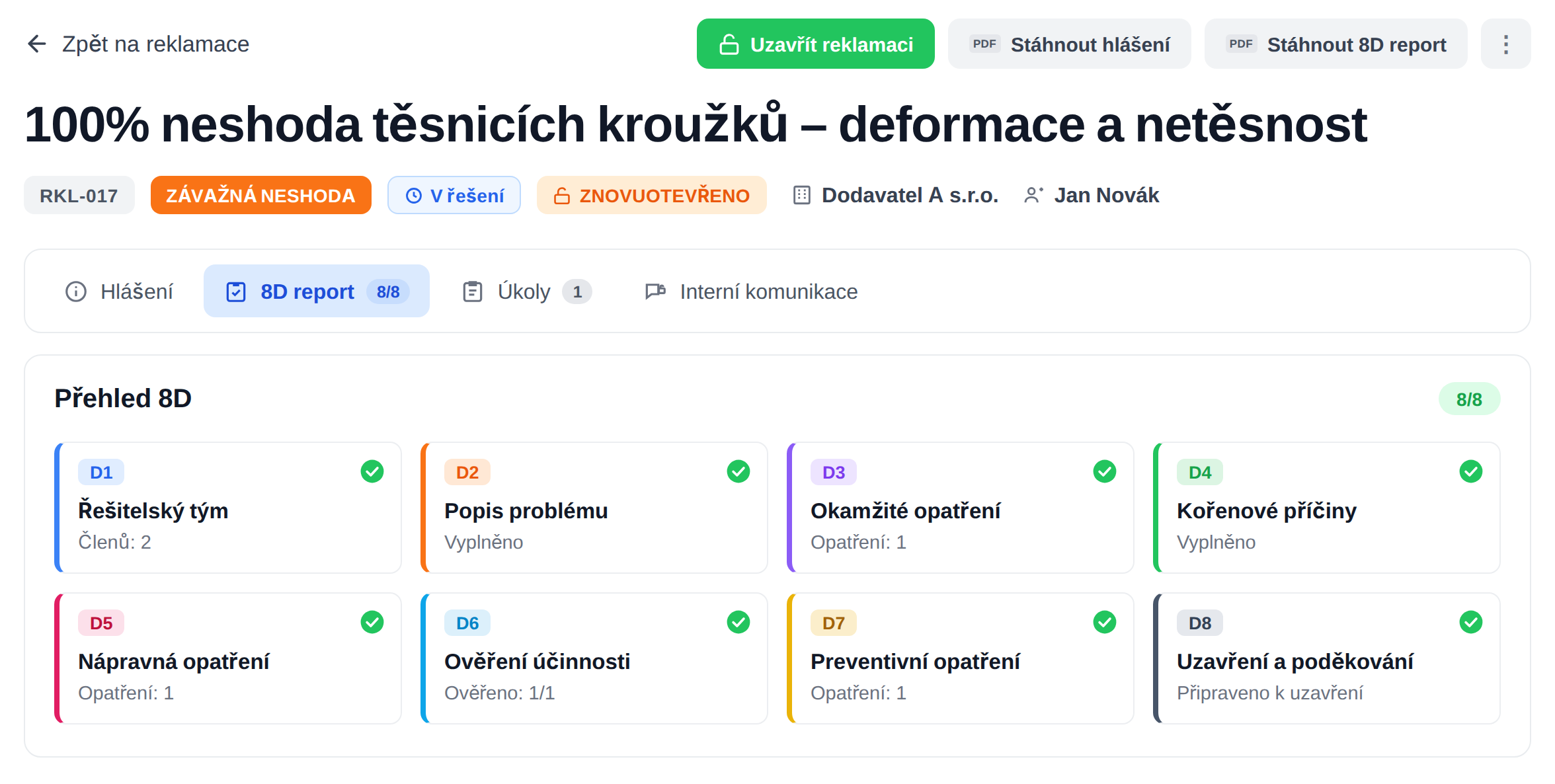
Disciplines D1 to D8 with the visible status of each one. You spot an incomplete report at a glance, not when the customer sends it back.
8D report D1-D8The supplier works with you, not over email
They fill in the 8D directly in the system, in their restricted environment. No more circulating attachment versions and hunting for the latest one.
Supplier portalEvery action has a deadline, an owner and verification
For immediate, corrective and preventive actions the system tracks both execution and effectiveness verification. Closing the complaint means approving all actions, and if any are unverified the system warns you in advance.
Actions D3 / D5 / D7The form fits your industry
Severity levels, part disposition options, cost items and task templates are all set to your own rules. The system adapts to the process, not the other way around.
Complaint categoriesNobody forgets the recurring steps
Task templates and rules create tasks with deadlines automatically when a complaint is opened. The routine takes care of itself, people handle the substance.
Automated tasksThe system tracks deadlines, not your calendar
Milestones D3, D6 and D8 are colour-coded and the system sends a reminder three days before the deadline and after it passes. You see the slip coming, not when the customer calls.
Deadlines and notificationsYou prove the cost of a nonconformity, not estimate it
Itemised cost figures, photo documentation and files on a single record. Recovering compensation from a supplier looks different with that than with a guess over the phone.
Costs and documentsSupplier performance backed by numbers
A scorecard on every supplier sums up the number of complaints, costs, average time to immediate action (D3) and to closure (D8). You enter a supplier review with data, not a hunch.
Scorecard and exportsThe supplier works in your system. But only where allowed.
The supplier works inside your platform, but sees only a slice of it: the complaints you sent to them. No other modules, none of your internal data, no other suppliers’ complaints. For customer complaints external access does not exist at all - those are handled solely by your team.
- Sees only their own cases: other suppliers’ complaints and the rest of the platform never appear.
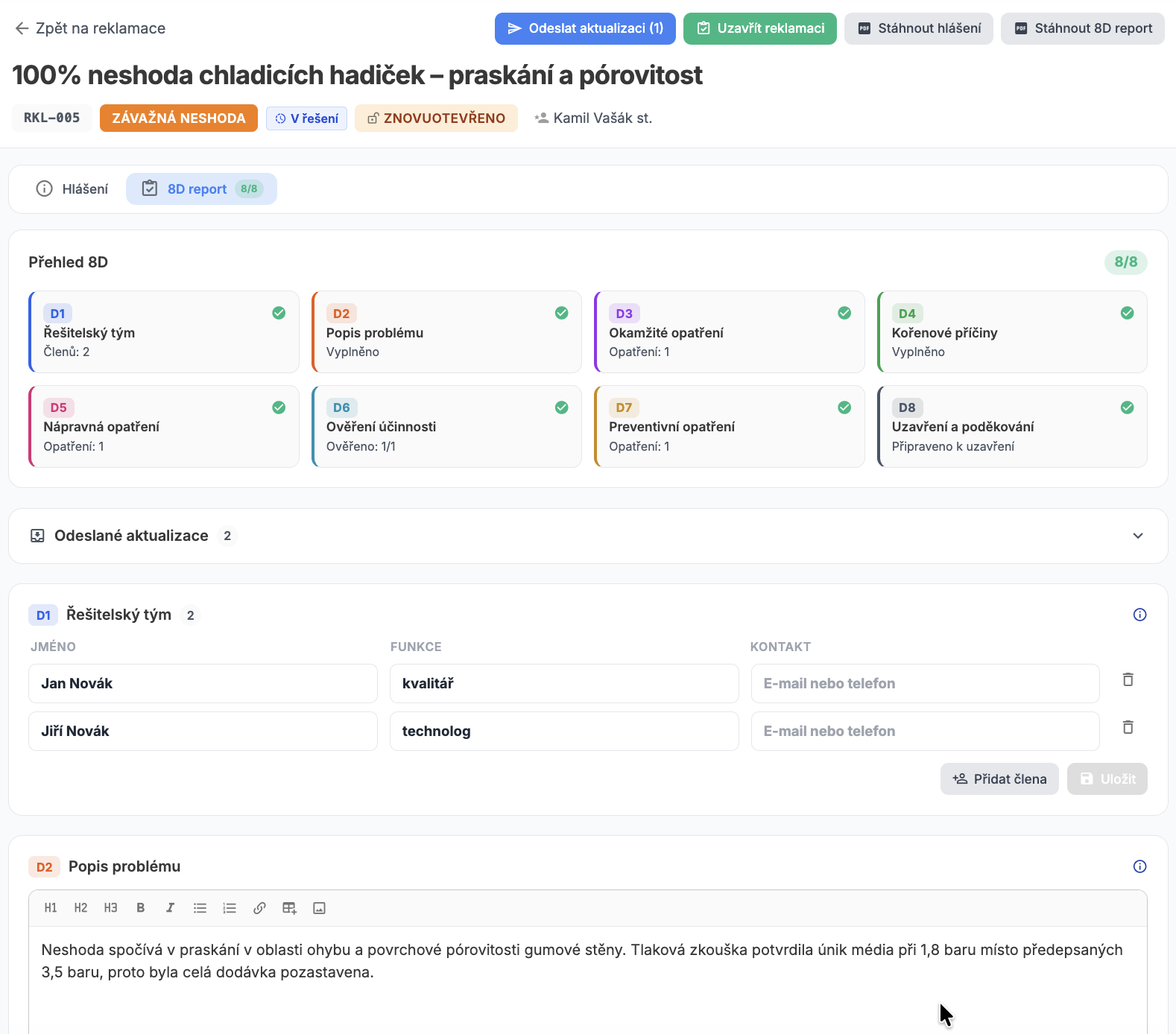
- What they may change: they fill in the 8D report. The nonconformity report and itemised costs are read-only, they cannot rewrite them.
- An external account cannot be promoted by mistake: only supplier roles are offered when inviting.
- Updates in batches: the supplier sends changes with the Send update button, and a central inbox gives SQD an overview across all suppliers.
- Audit history: you see the full timeline of both sides, the supplier only their own changes.
What each role gets
Owns the 8D and the deadlines
- The status of every complaint with tracked milestones D3, D6 and D8
- Returning an 8D for rework with a mandatory description of the requirements
- Export of the 8D and NCR to PDF for the customer and the certification audit
Deals with suppliers
- A supplier portal instead of circulating attachments by email
- A supplier performance scorecard for complaints
- Itemised nonconformity costs as the basis for recovery
Tackles causes, not effects
- Root causes and actions D3, D5 and D7 with effectiveness verification
- Traceable repeats on the same part or supplier
- Task templates and rules so the routine does not eat capacity
Sees the impact of nonconformities
- Complaint costs itemised instead of estimated
- An overview of open cases and their age
- A provable process for the customer audit in both directions
AI helps. A human always decides.
AI import from a document
Upload a received protocol, email, spreadsheet or photo (PDF, Word, Excel, image or text up to 20 MB) and AI proposes the header fields and parts of the 8D, including actions. Fields that already have content are not overwritten, the proposal is applied only after confirmation, and the original is archived in the complaint’s documents.
AI auto-fill and task suggestions
Describe the problem freely and AI pre-fills the complaint form with a rationale for the suggestion. It does not propose severity - a human chooses that. Based on the category rules it can also suggest tasks for the complaint.
Check against standards and D8
AI compares the supplier’s 8D report against reference standards kept for that supplier and against the category rules, returning a compliance score, a summary, findings and recommendations. For the final discipline D8 it can draft a thank-you message to the team.
The AI features are turned on with a single company-wide switch. With AI off the module works fully, just without assistance.
Frequently asked questions
Direction and roles. In a supplier complaint you are the customer and the supplier fills in the 8D in a restricted portal, which is why the In preparation and To confirm states exist. In a customer complaint you are in the supplier’s role, your team fills in the 8D and there is no handover to the other party. Both branches share screens, categories and the action workflow, but have separate permissions and number series (RKL and CRK).
Only the complaints you sent to that specific supplier, nothing else from the platform. On those they read the nonconformity report including the itemised costs you are claiming, and they fill in the 8D report with actions and attachments. They do not see your internal tasks or internal communication on the case. Until you send the complaint, it does not exist for them at all.
No. A customer complaint is handled solely by the internal team, and communication with the customer happens outside the app, typically by email with a generated PDF. External supplier accounts have no access to customer complaints.
From the To confirm state you return the complaint for rework with a mandatory description of the requested changes. The supplier sees a banner with your requirements and the 8D unlocks again for them.
Yes, in both branches. Milestones are colour-coded in the 8D overview: three days before the deadline in yellow, after the deadline in red. On top of that the system sends reminders to the responsible people, each at most once, with a history record.
A user with the permission to manage the relevant complaint branch. For customer complaints the responsible person always has the decision actions too, even without admin permission. A reopen is written to the history and the complaint permanently carries a Reopened badge.
We will walk through one of your complaints
Book a no-obligation online demo. We will take a real recent case, go through it from the report via the 8D and actions to closure, and show how many steps the system would take off your hands.